anynote · Mac and iPhone
Write wherever you like. Move things around and clear your head.
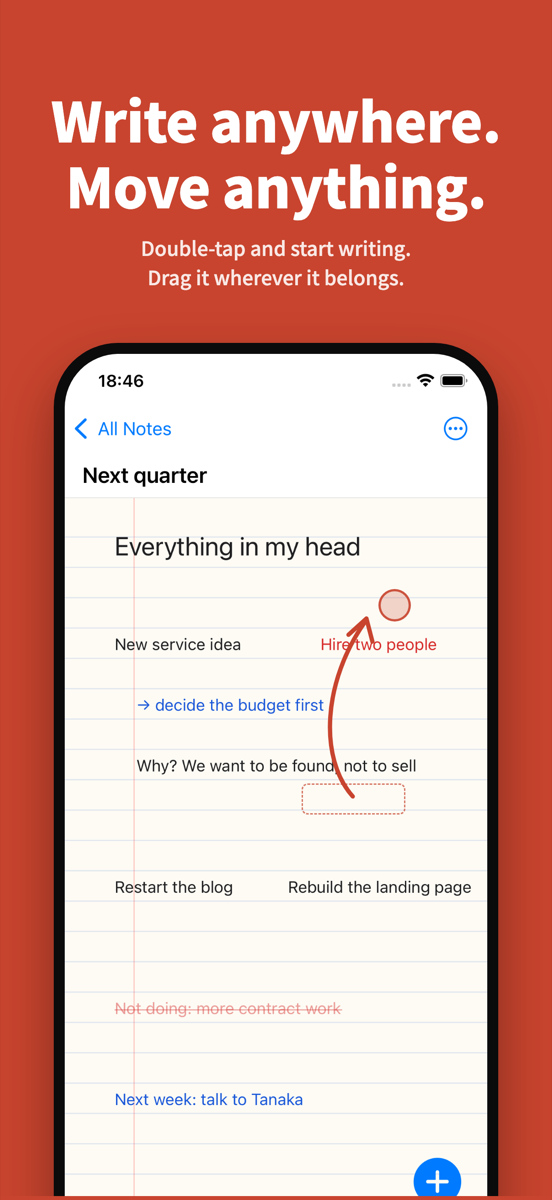
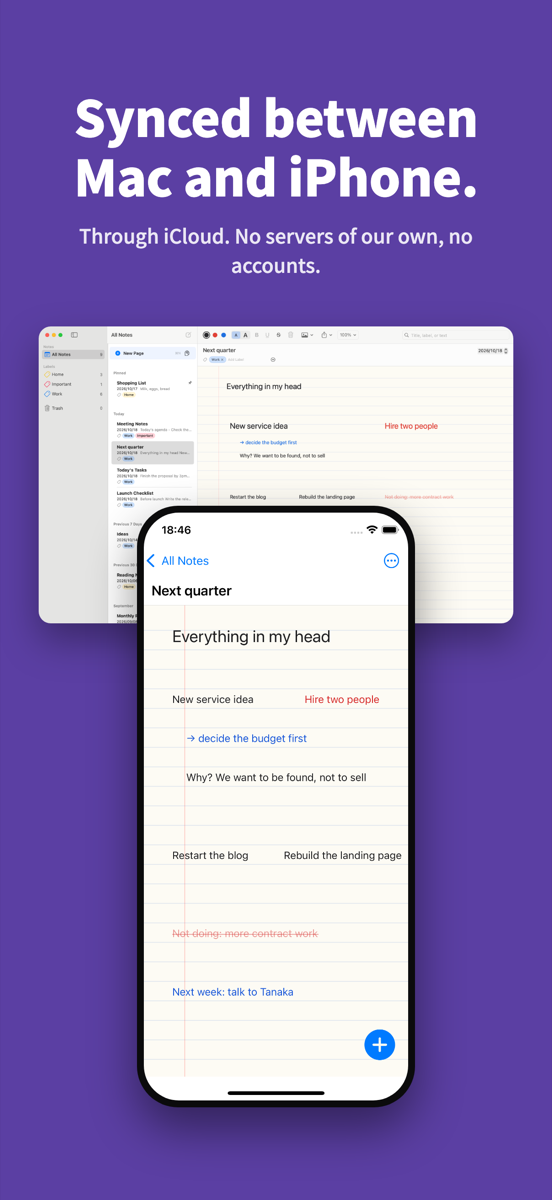
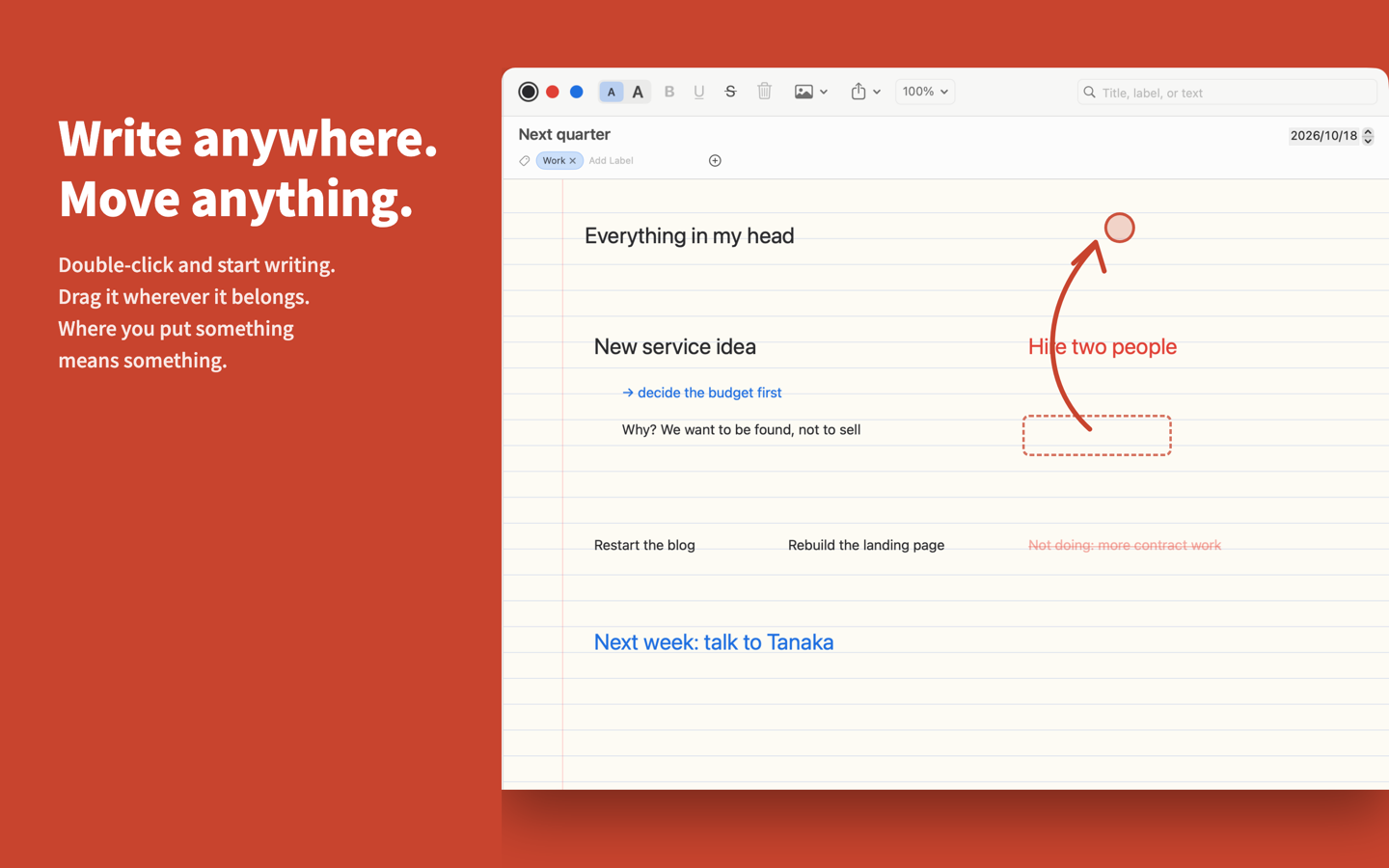
Double-click (double-tap on iPhone) anywhere on the page and start writing right there. Grab any text and drag it anywhere. Your notes sync between Mac and iPhone.
Free to download. Every feature for 3 days, then one purchase unlocks Mac and iPhone together. No subscription, no account.
When it helps
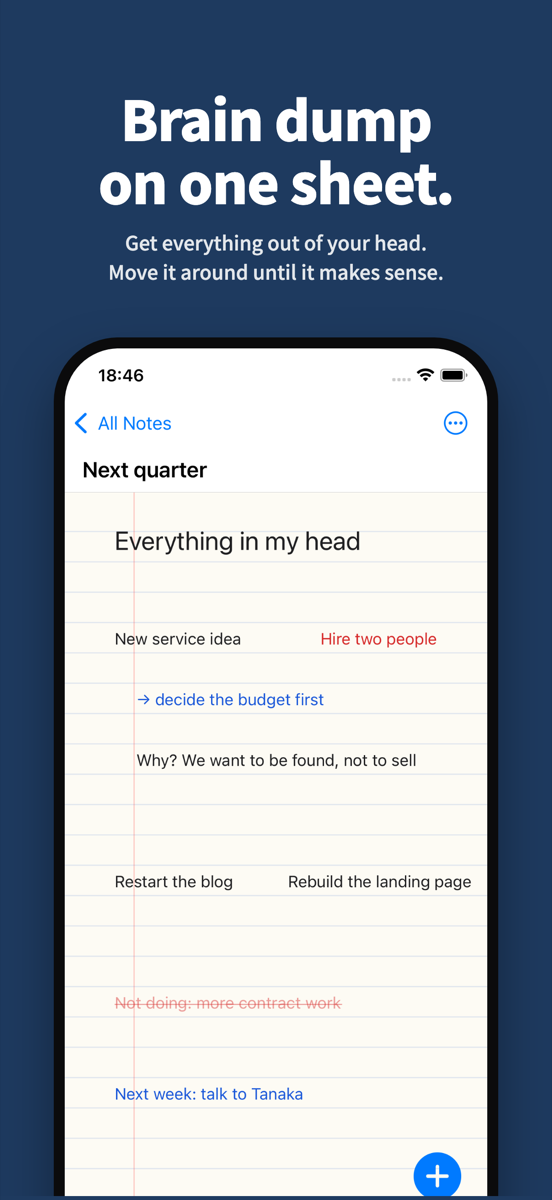
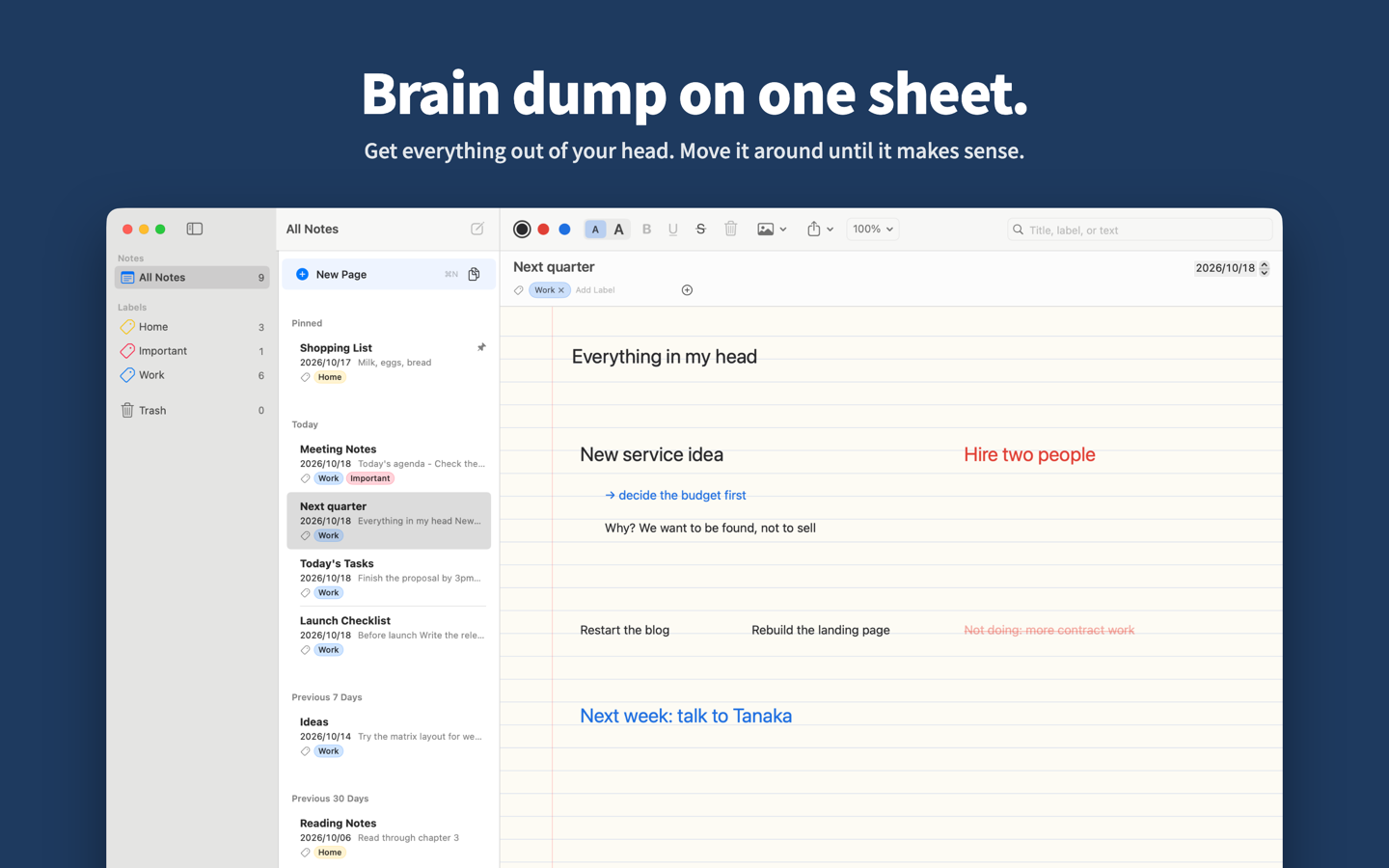
- When your thoughts won't settleWrite everything in your head onto the page, then sort it out.
- Brainstorming aloneWrite ideas wherever you like, then rearrange them later.
- Journaling and end-of-day reflectionLeave a feeling or an insight right where it came up. Many people find it calming, like writing meditation.
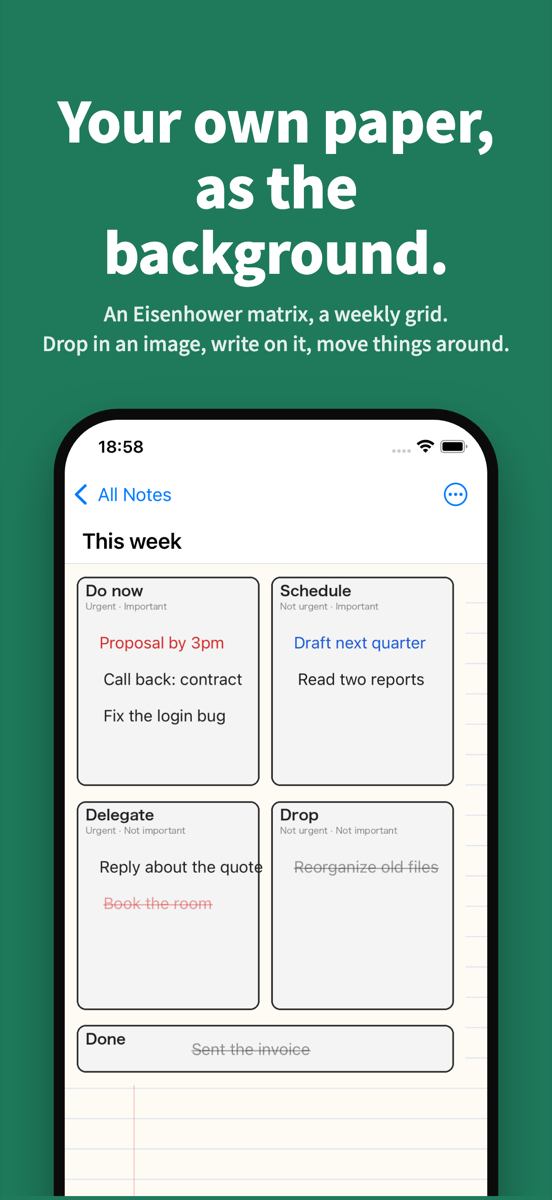
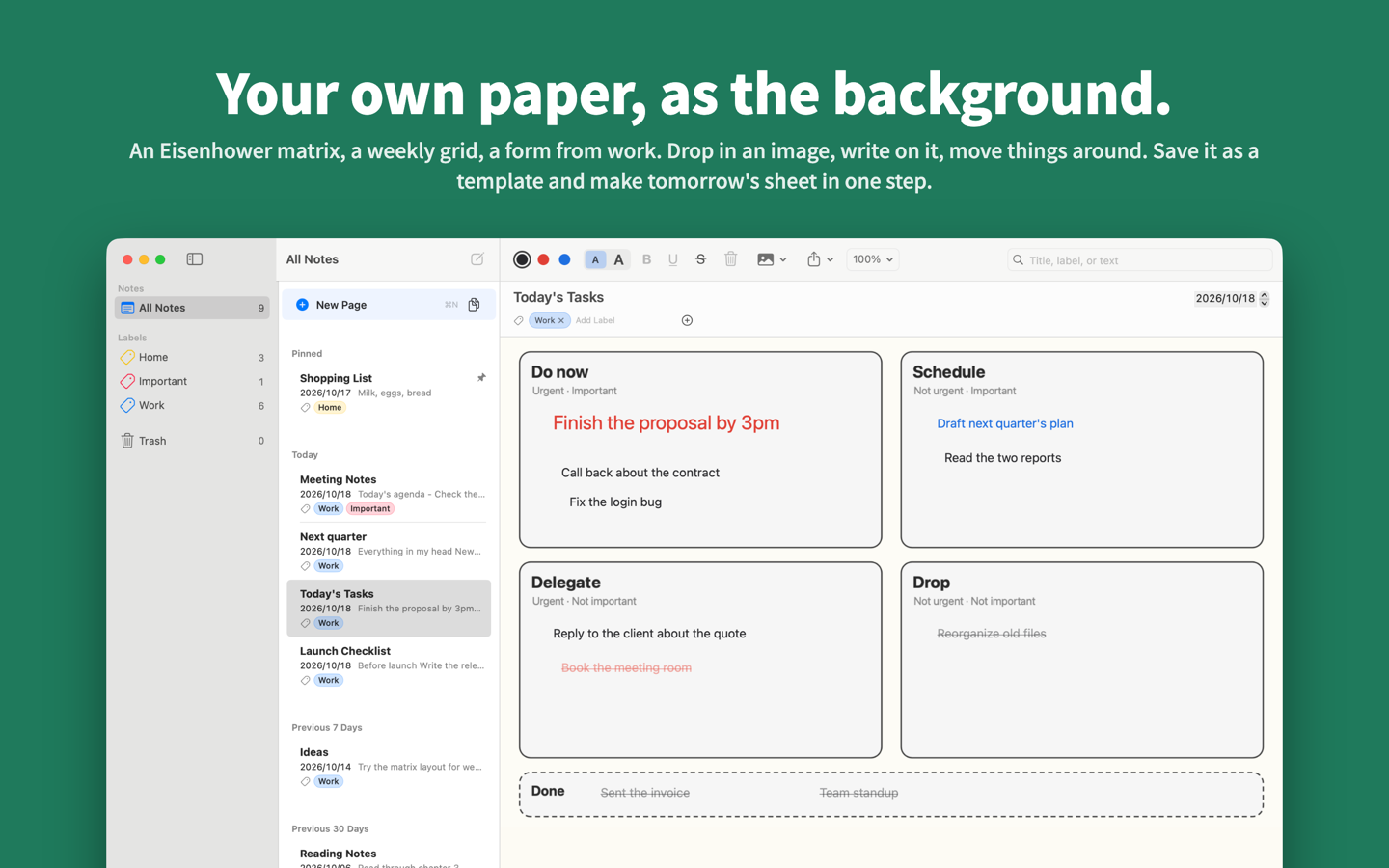
- Managing tasksUrgent items top-left, later items to the right, finished items struck through.
- Works for ADHD brains tooNothing to set up first: write things down in the order they come, and give them a place afterwards.
- If you still think on paperThe same freedom as a sheet of paper, with sync, search, and export.
Only what you need
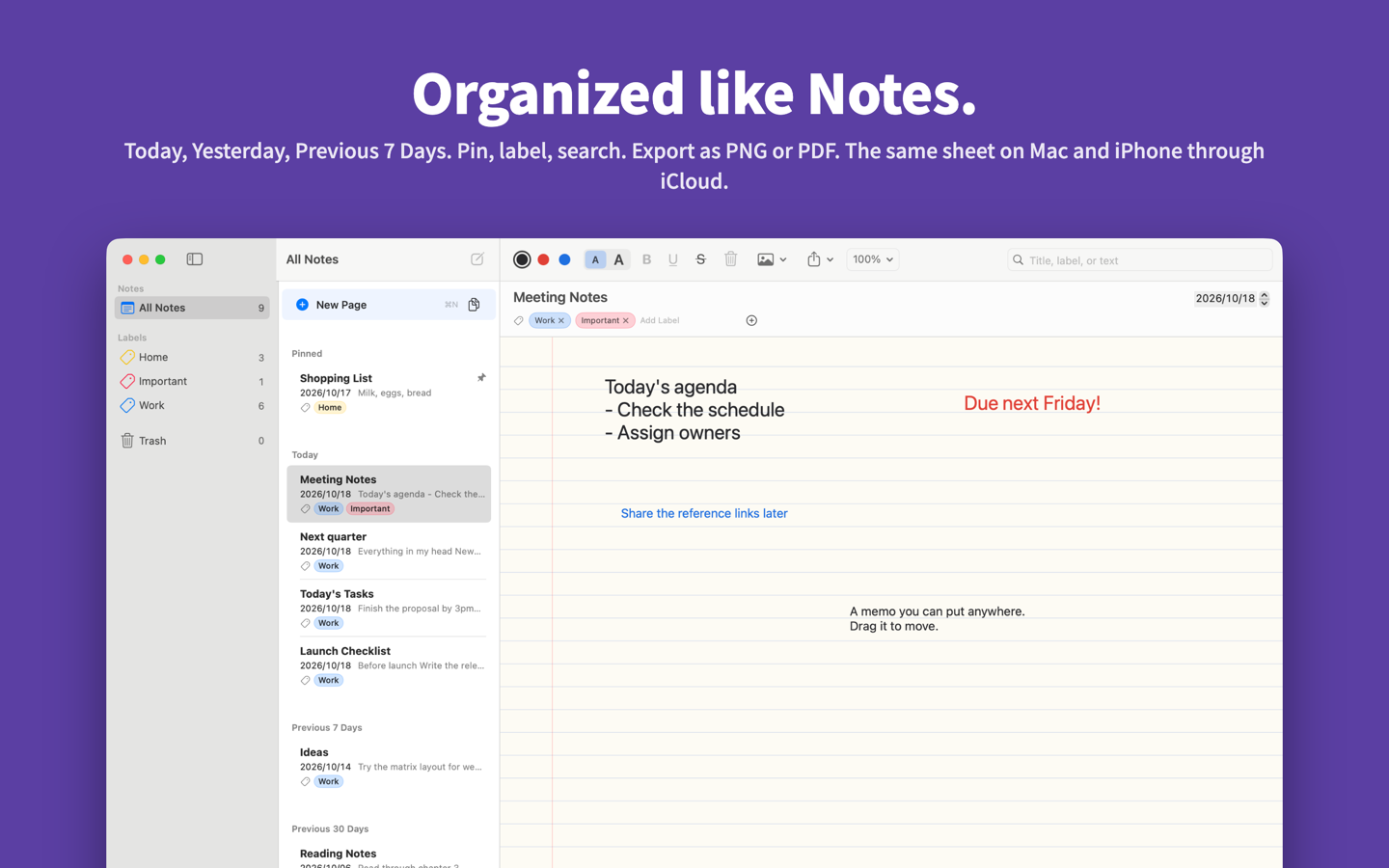
Three text colors, two text sizes, bold, underline, strikethrough. Set your own image as the background, such as a matrix or a weekly planner, and save it as a template. Export a page as PNG or PDF and paste it into Slack or email. Syncs through iCloud, with no servers of our own, no accounts, and no analytics.
iPhone
Mac
Pricing
Free to download. Every feature is available for 3 days.
To keep writing after that, unlock once with a one-time purchase. One purchase covers both Mac and iPhone. No subscription.
Even without unlocking, you can still read and export every page you wrote.
anynote · Mac と iPhone
好きな場所から書く。
並べ替えて、頭を整理する。
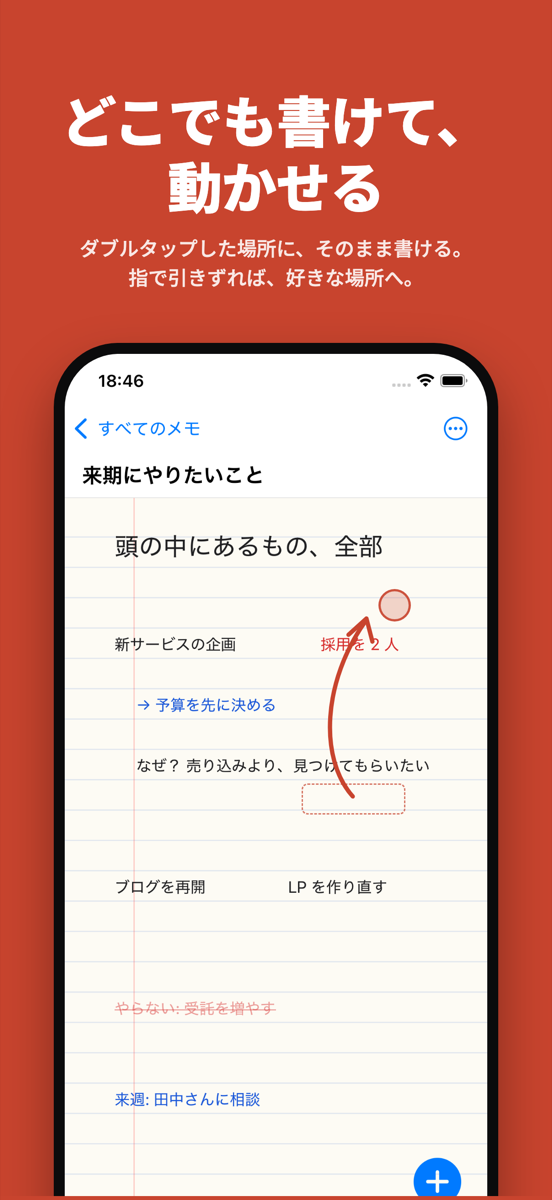
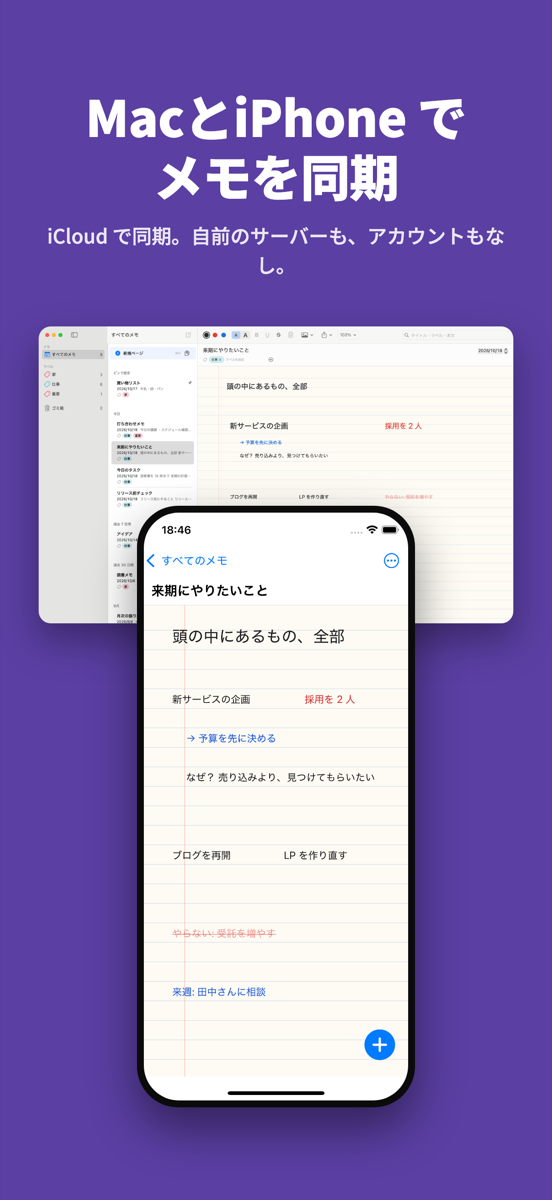
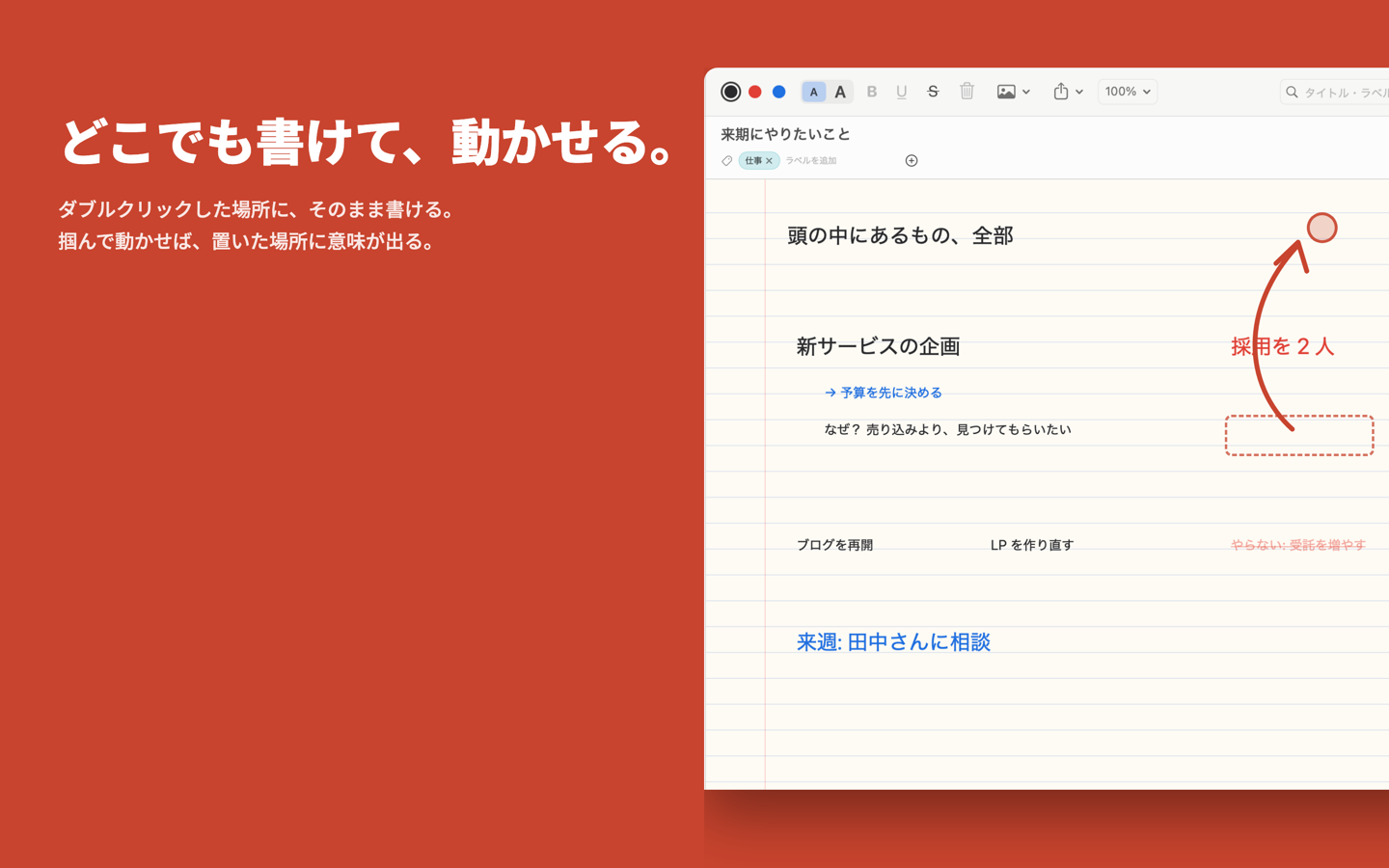
どこをダブルクリック(iPhone ではダブルタップ)しても、その場で書けるメモアプリです。テキストはどこを掴んでも動かせます。Mac と iPhone でメモが同期します。
ダウンロードは無料。3 日間はすべての機能を使えて、その後は買い切り 1 回で Mac と iPhone の両方で使えます。サブスクリプションもアカウントもありません。
こんなときに便利
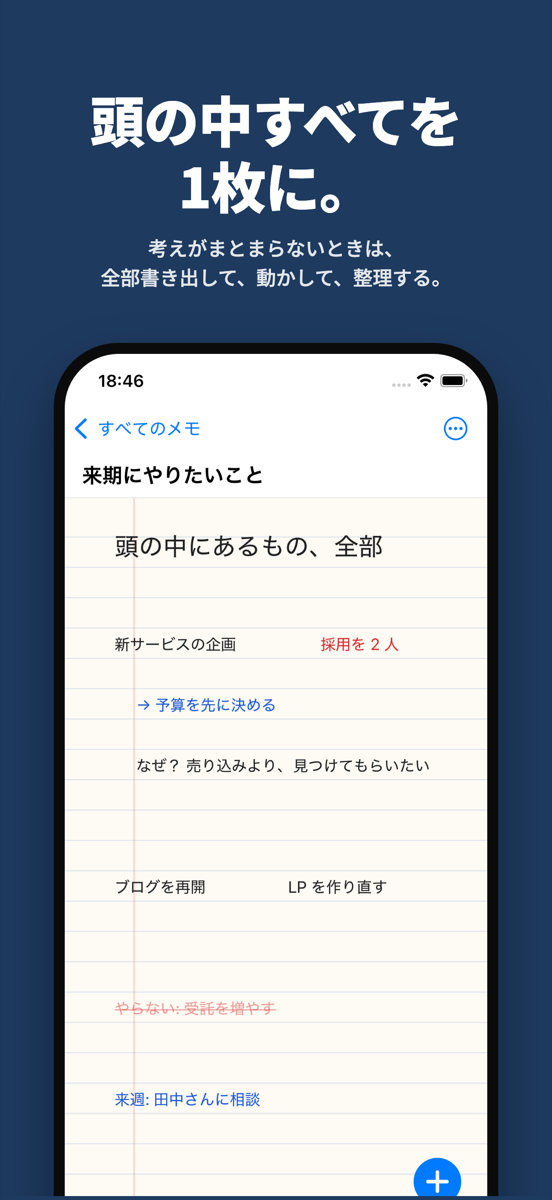
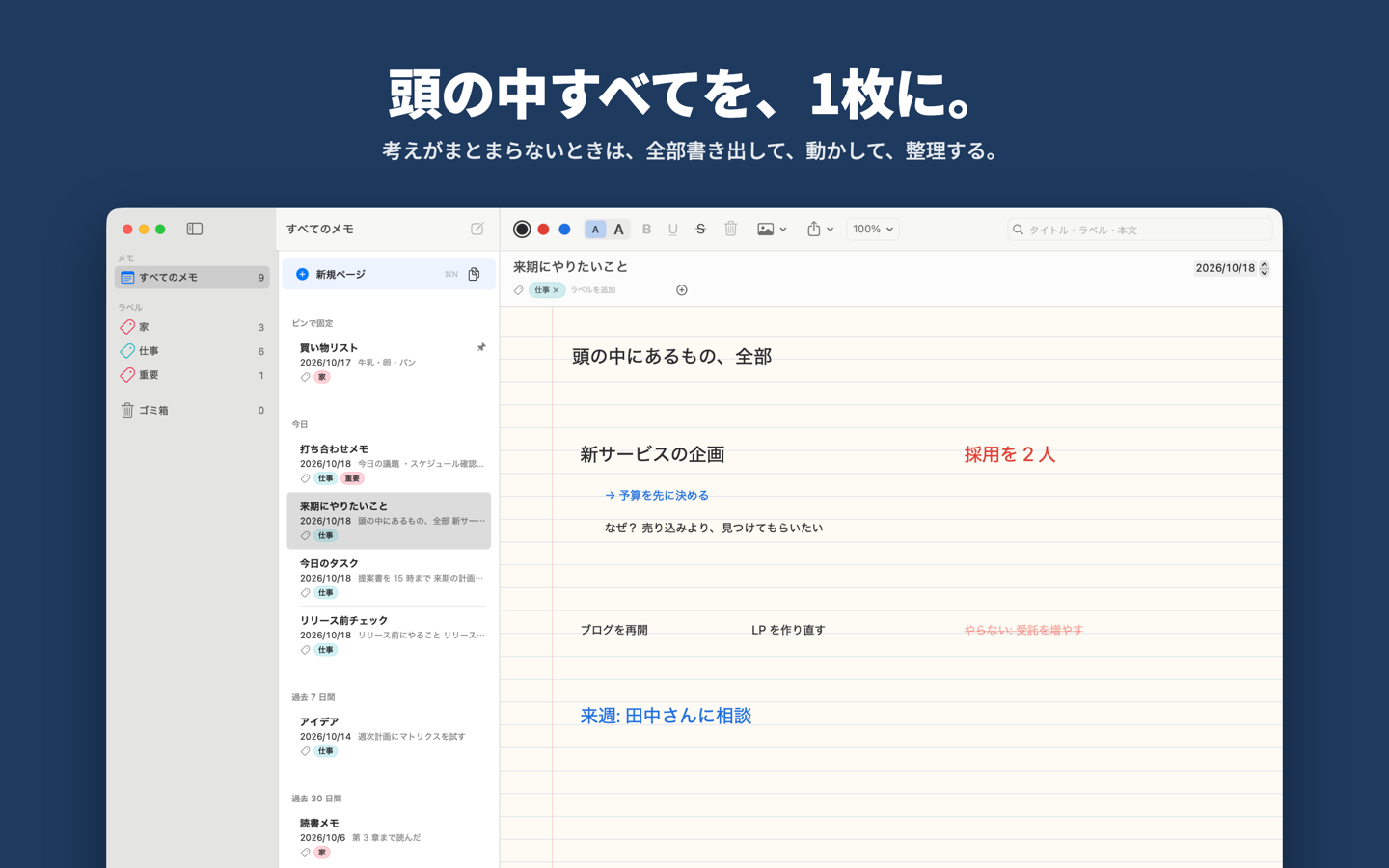
- 考えがまとまらないとき頭の中にあるものを全部書き出して、あとから整理する。
- 一人でブレストするとき好きな場所から自由に書いて、近いものを近くに動かす。
- ジャーナリングや一日の振り返りに気持ちや気づきを、その場に残しておく。書く瞑想のように、気持ちが落ち着くという人が多いです。
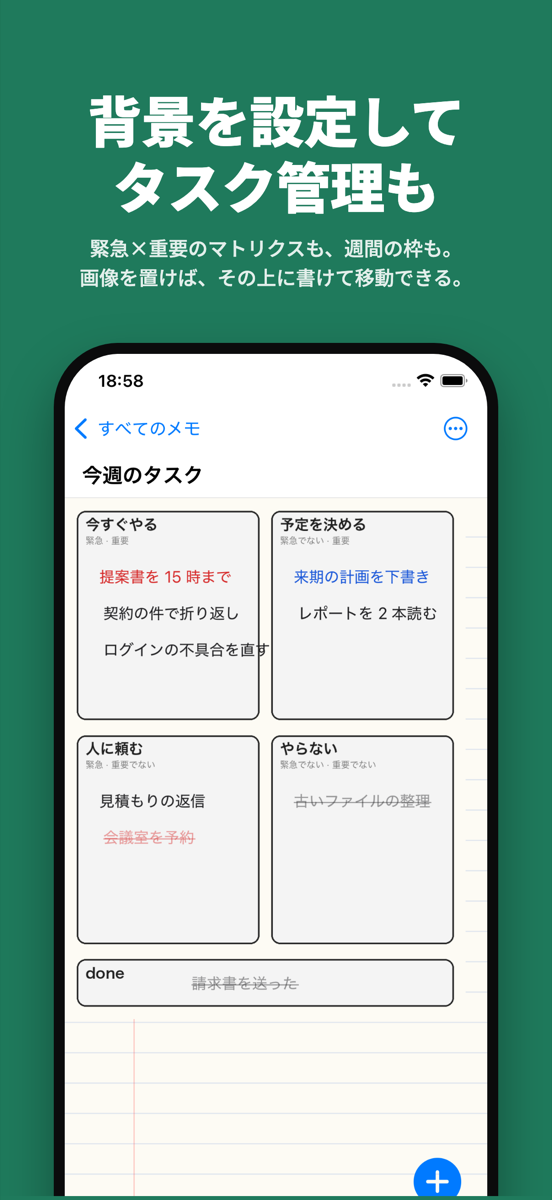
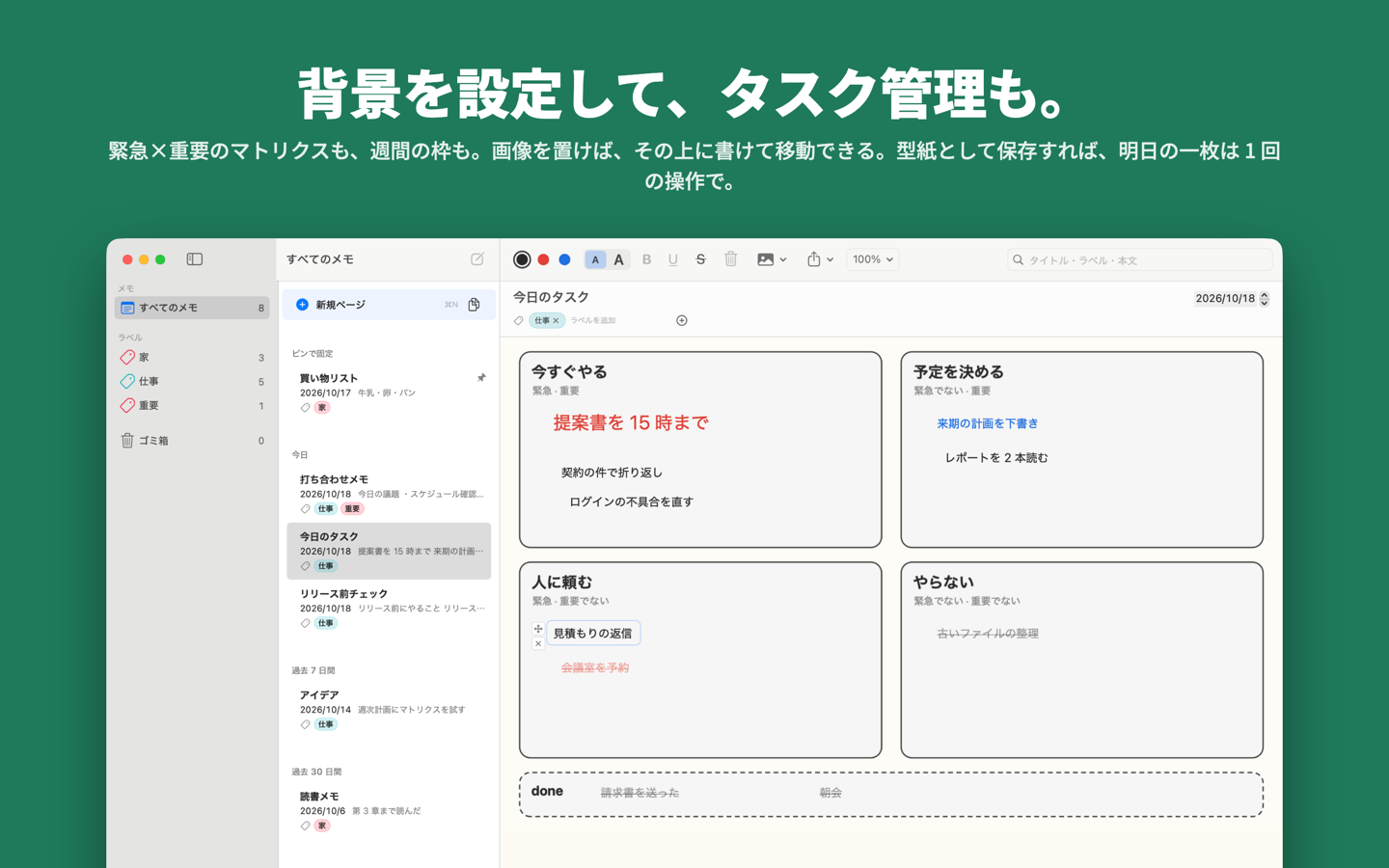
- タスク整理に急ぎは左上、あとでやるものは右、終わったら取り消し線。
- 頭の中が散らかりやすい人、ADHD の方にも構造を決めずに、思いついた順に書き出せます。場所はあとから決めればいい。
- 紙で考えている人に紙に書くのと同じ自由さで、同期・検索・書き出しがつきます。
必要なものだけ
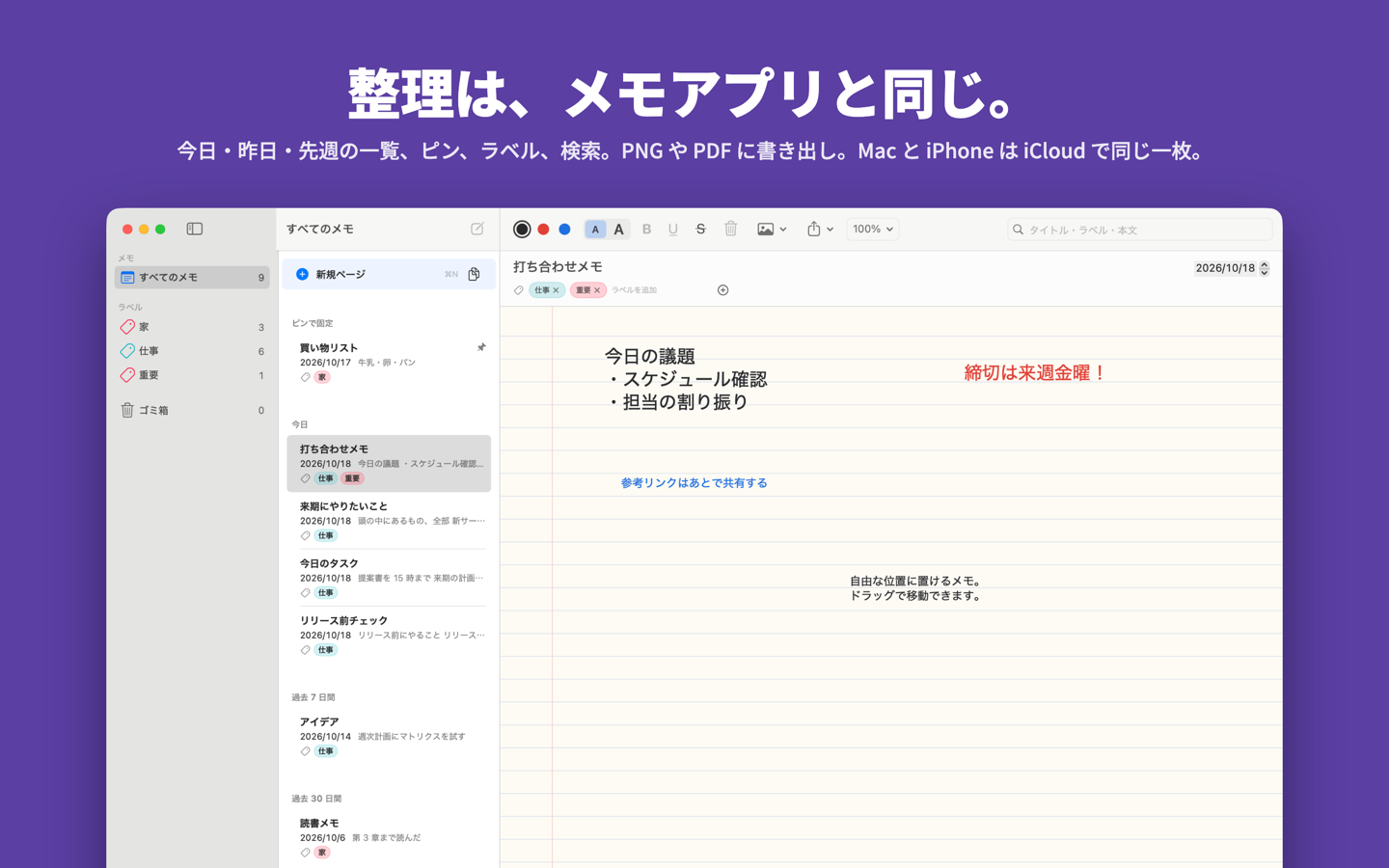
テキストの色は 3 つ、大きさは 2 つ。太字、アンダーライン、取り消し線。自分で作った画像を背景にすれば、マトリクス表や週間の枠など、自分が使いやすい形でメモを使えます。型紙として保存すれば 1 回の操作で作れます。ページは PNG や PDF に書き出して、Slack やメールにそのまま貼り付け。同期は iCloud で、自前のサーバーもアカウントも解析もありません。
iPhone
Mac
価格
ダウンロードは無料。3 日間はすべての機能を使えます。
その後も書き続けるには、買い切りの「解除」を 1 回だけ購入します。1 回の購入で Mac と iPhone の両方で使えます。サブスクリプションはありません。
解除しなくても、書いたページはそのまま読めて、書き出せます。
anynote · Mac과 iPhone
원하는 곳에서 바로 씁니다.
옮기면서 머릿속을 정리합니다.
화면 어디든 더블 클릭(iPhone에서는 두 번 탭)하면 그 자리에서 바로 쓸 수 있는 메모 앱입니다. 글자는 어디를 잡아도 옮길 수 있습니다. Mac과 iPhone에서 메모가 동기화됩니다.
다운로드는 무료. 3일 동안 모든 기능을 쓸 수 있고, 그 뒤에는 한 번만 구매하면 Mac과 iPhone 모두에서 쓸 수 있습니다. 구독도 계정도 없습니다.
이럴 때 좋습니다
- 생각이 정리되지 않을 때머릿속에 있는 것을 전부 적어 놓고, 나중에 정리합니다.
- 혼자 브레인스토밍할 때원하는 곳에 자유롭게 쓰고, 나중에 옮깁니다.
- 저널링과 하루 돌아보기느낌이나 깨달음을 그 자리에 남겨 둡니다.
- 할 일 정리급한 일은 왼쪽 위, 나중 일은 오른쪽, 끝난 일은 취소선.
가격
다운로드는 무료. 3일 동안 모든 기능을 쓸 수 있습니다.
그 뒤에도 계속 쓰려면 한 번만 구매합니다. 한 번 구매로 Mac과 iPhone 모두에서 쓸 수 있습니다. 구독은 없습니다.
anynote · Mac 和 iPhone
想写哪里就写哪里。
拖一拖位置,把脑子里的想法理清楚。
在屏幕任意位置双击(iPhone 上双击点按),就能在那里直接写。文字随手一拖就能移动。笔记在 Mac 和 iPhone 之间同步。
免费下载。3 天内可用全部功能,之后一次购买即可在 Mac 和 iPhone 上使用。无订阅,无账号。
这些时候很好用
- 想法理不清的时候把脑子里的东西全写出来,再慢慢整理。
- 一个人头脑风暴想写哪里就写哪里,之后再拖动位置。
- 写日记、回顾一天把感受和发现留在它出现的地方。
- 整理待办紧急的放左上,稍后的放右边,做完的划掉。
价格
免费下载。3 天内可以使用全部功能。
之后要继续写,只需一次购买。一次购买,Mac 和 iPhone 都能用。没有订阅。
anynote · Mac 和 iPhone
想寫哪裡就寫哪裡。
拖一拖位置,把腦中的想法理清楚。
在螢幕任意位置按兩下(iPhone 上點兩下),就能在那裡直接寫。文字隨手一拖就能移動。筆記在 Mac 和 iPhone 之間同步。
免費下載。3 天內可用全部功能,之後一次購買即可在 Mac 和 iPhone 上使用。無訂閱,無帳號。
這些時候很好用
- 想法理不清的時候把腦中的東西全寫出來,再慢慢整理。
- 一個人腦力激盪想寫哪裡就寫哪裡,之後再拖動位置。
- 寫日誌、回顧一天把感受和發現留在它出現的地方。
- 整理待辦緊急的放左上,稍後的放右邊,做完的劃掉。
價格
免費下載。3 天內可以使用全部功能。
之後要繼續寫,只需一次購買。一次購買,Mac 和 iPhone 都能用。沒有訂閱。